UI
UI
UX
UX
Design System
Design System
AI Workflows
AI Workflows
Nov 2025 - Present
Nov 2025 - Present
Vettam Design System
Vettam Design System
Vettam Design System
I consulted with an early-stage legal tech founder to help structure the design process for his product. Legal tech users — lawyers, paralegals, clients — have low tolerance for friction, which made it critical to design consistently and ship fast.
UX Research
The solution
UX Research
UX research was conducted via competitive analysis of other fintech brands and how they use their brand guidelines and build their emails.
Also, interviews with the marketing team to understand their workflow, how familiar they are with figma and what kind of marketing components might be most useful to build.
I built an atomic component library in Figma — documented with usage guidelines, variant states, and interaction specs — and established an AI-assisted prototyping pipeline using Claude and Figma MCP.
The new workflow works like this: Claude parses the PRD, references the component library, and generates a working HTML prototype. Designers only intervene when a new component is genuinely needed — which then gets designed, documented, and added back to the library. The HTML prototype doubles as the developer handoff, replacing static screen exports entirely.
This reduced the design cycle from 5–7 days to approximately 2 days for most features, and created a system the team now runs independently.
Business Goals
The context
Business Goals
Have an easy way for marketers to design emails which look professional while eliminating the need for designers to build emails from scratch.
Have the designers to go through a design audit for emails designed by marketers and give a final checkoff before the email is developed.
Have an easy way for marketers to design emails which look professional while eliminating the need for designers to build emails from scratch.
Have the designers to go through a design audit for emails designed by marketers and give a final checkoff before the email is developed.
Research Insights
The problem
Research Insights
While the marketers are moderately familiar with figma, understanding auto layout is difficult.
Providing components of different modules with multiple designs to choose from would give flexibility to marketers to quickly create email designs without the designs feeling boring and repetitive.
Every new feature was being designed from scratch. With no shared component library, the team rebuilt the same UI patterns repeatedly. The design-to-handoff cycle took 5–7 days per feature, and developers still needed multiple clarification rounds after receiving the screens.

The context
The product had a small design team operating without a defined system. There was no single source of truth in Figma — no documented components, no naming convention, no reusable foundations. This meant design effort was being spent on reproduction instead of problem-solving, and the development team had no reliable reference to build from independently.
The problem
Every new feature was being designed from scratch. With no shared component library, the team rebuilt the same UI patterns repeatedly. The design-to-handoff cycle took 5–7 days per feature, and developers still needed multiple clarification rounds after receiving the screens.
The solution
I built an atomic component library in Figma — documented with usage guidelines, variant states, and interaction specs — and established an AI-assisted prototyping pipeline using Claude and Figma MCP.
The new workflow works like this: Claude parses the PRD, references the component library, and generates a working HTML prototype. Designers only intervene when a new component is genuinely needed — which then gets designed, documented, and added back to the library. The HTML prototype doubles as the developer handoff, replacing static screen exports entirely.
This reduced the design cycle from 5–7 days to approximately 2 days for most features, and created a system the team now runs independently.
Documentation of Component
Documentation of Component
Documentation of Component
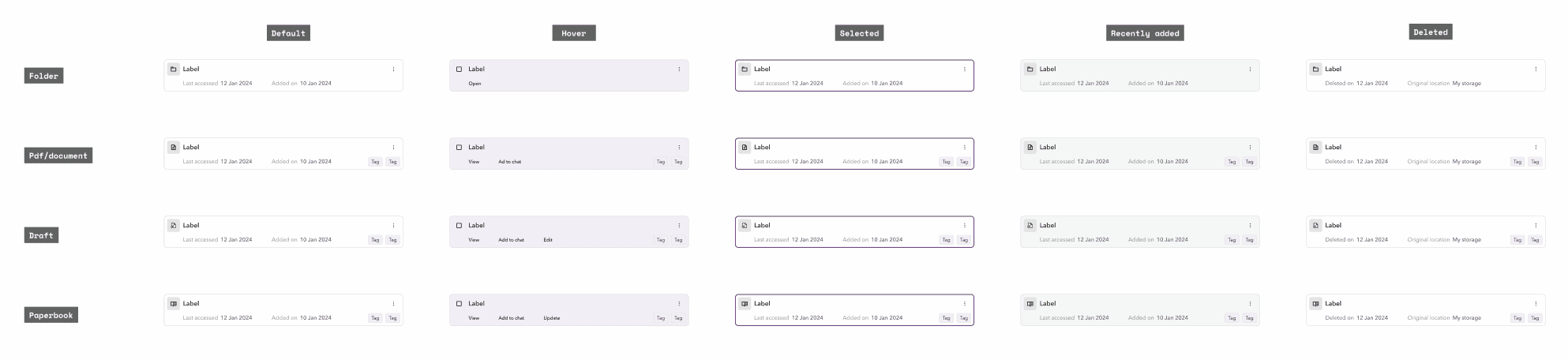
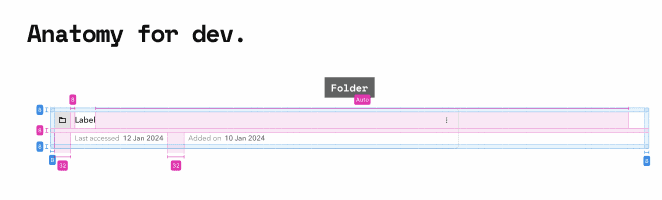
Documentation of components is a vital aspect of product design. With an ever expanding product, keeping the components well structured and easy to use is key to development. With this aim in mind, I defined the key aspects required to successfully document each component which is easy for designers, developers and for Claude to utilize the figma MCP.
Component Set
Component Set
Component Set
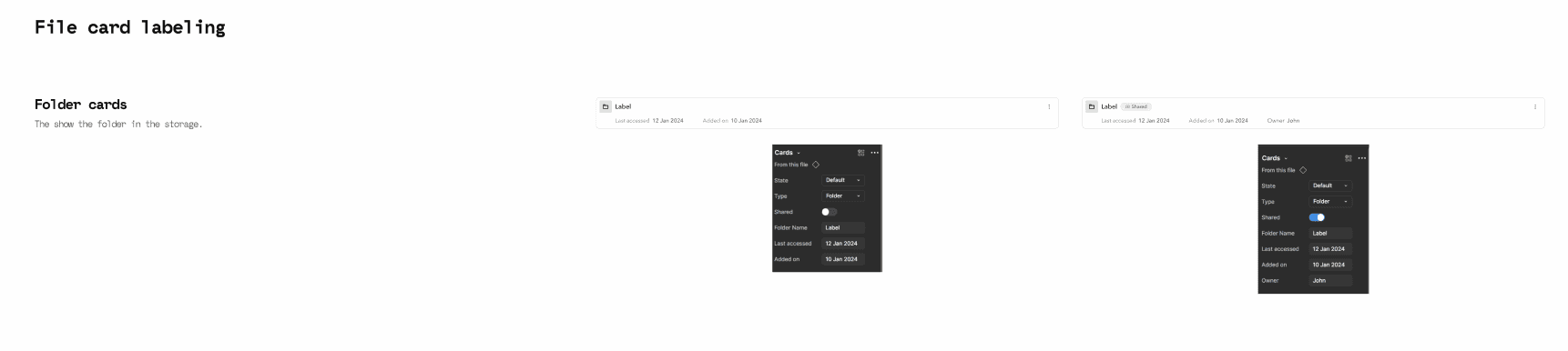
Component Labeling
Component Labeling
Component Labeling
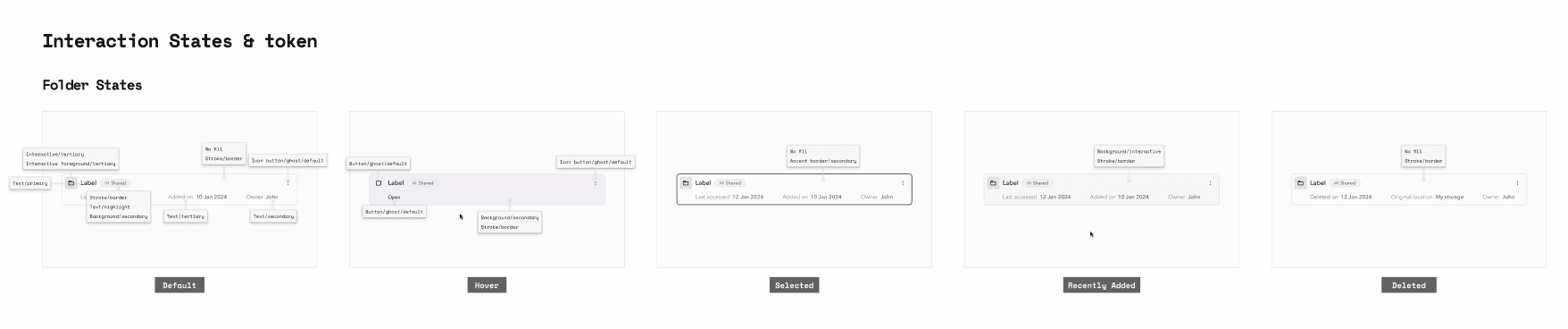
Interaction States
Interaction States
Interaction States
Anatomy of Components
Anatomy of Components
Anatomy of Components
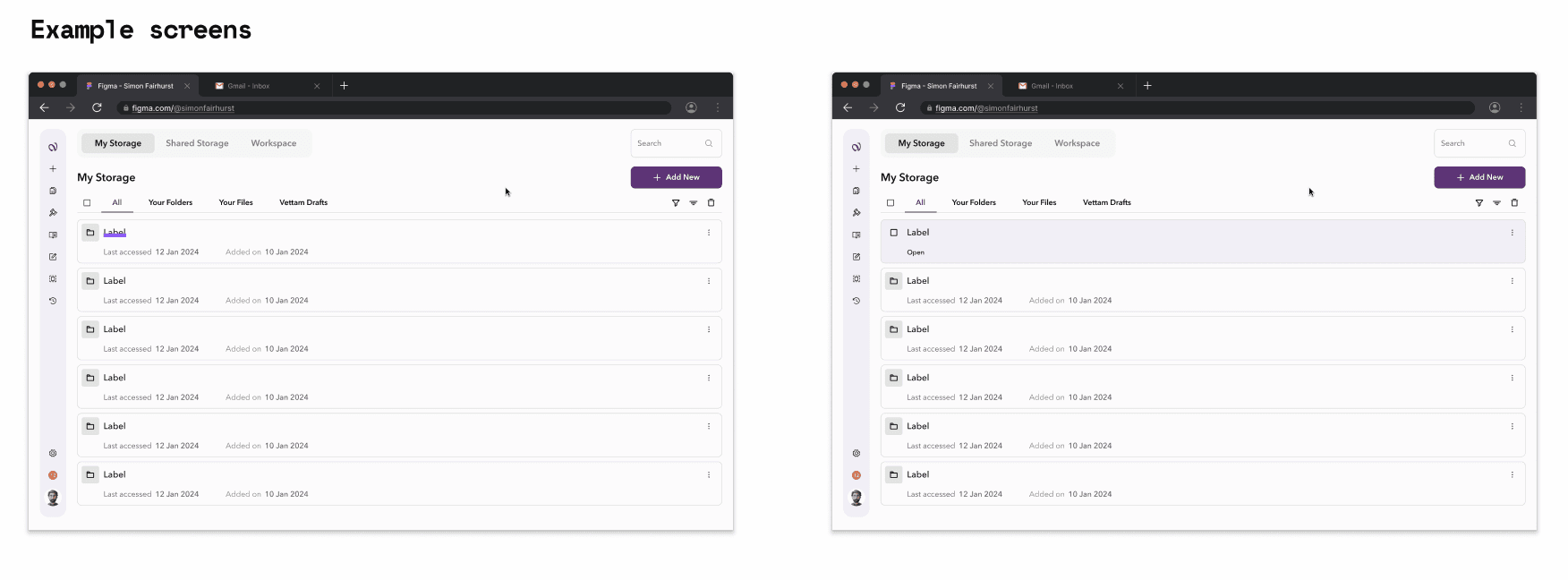
Example Screens
Example Screens
Example Screens